Interaction & Motion Design
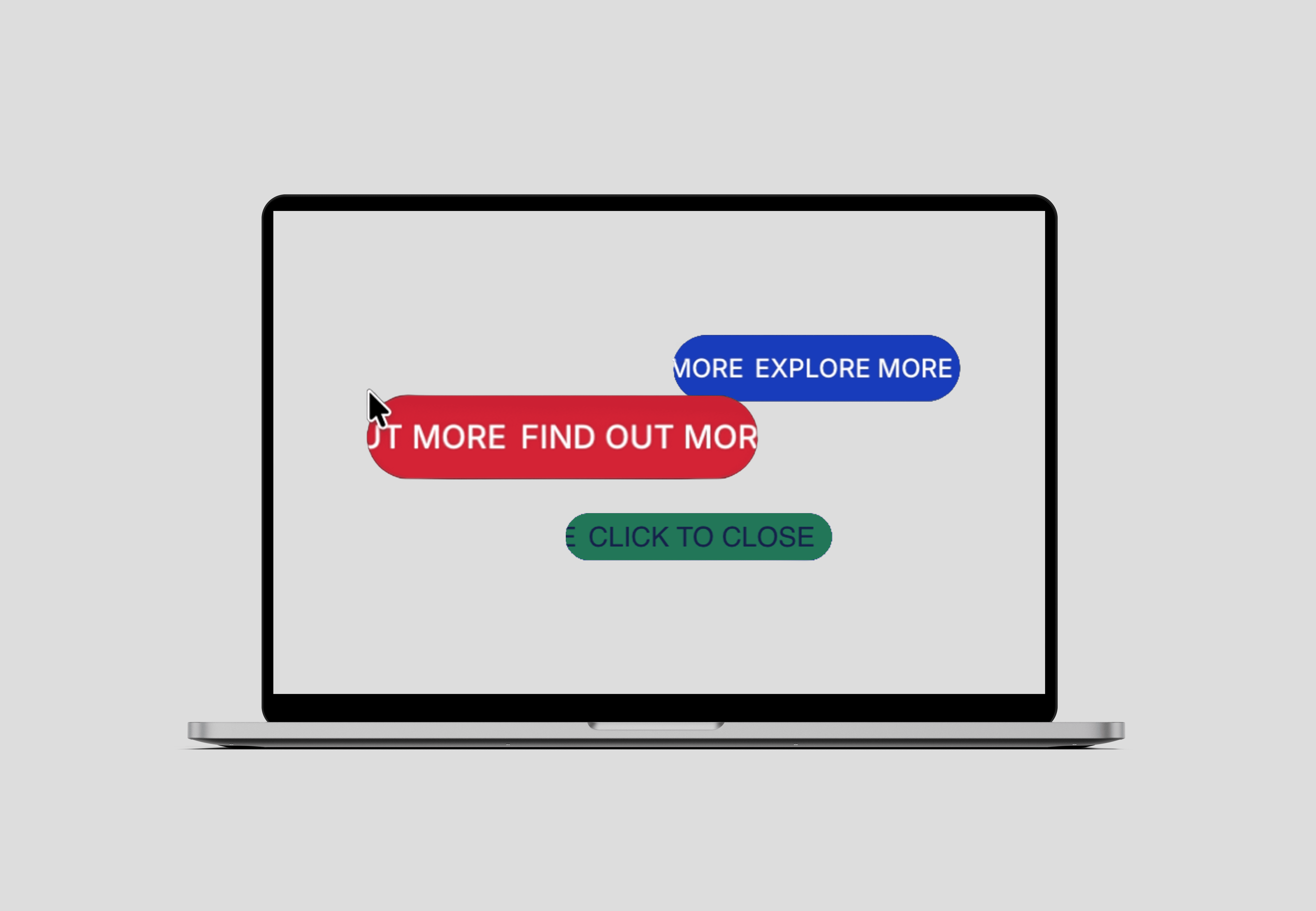
Interaction · Motion design
Year
'25
Role
Interaction Design, Motion Design
Tools
Framer, Prototyping, Component Systems
Selected interaction patterns exploring feedback, state, and behavior across digital interfaces.
A set of modular interaction systems exploring feedback, affordance, and user control across digital interfaces. Designed as reusable components and refined through iterative prototyping.
Context-Aware Cursor Feedback
Cursor-based interaction cues for drag, hover, and overlay states.
What it does: Provides contextual cursor feedback for drag, hover, and overlay states—without adding always-visible instructional UI elements.
Why it exists: Improves affordance discovery in motion-heavy and minimal interfaces where traditional UI cues are intentionally reduced.
How it’s built: A custom React component developed through AI-assisted code generation and iterative refinement, then integrated into Framer as a code component. Property controls expose the interaction logic as a reusable, configurable system refined through prototyping.
Demonstration: One cursor component, configured across multiple interaction contexts
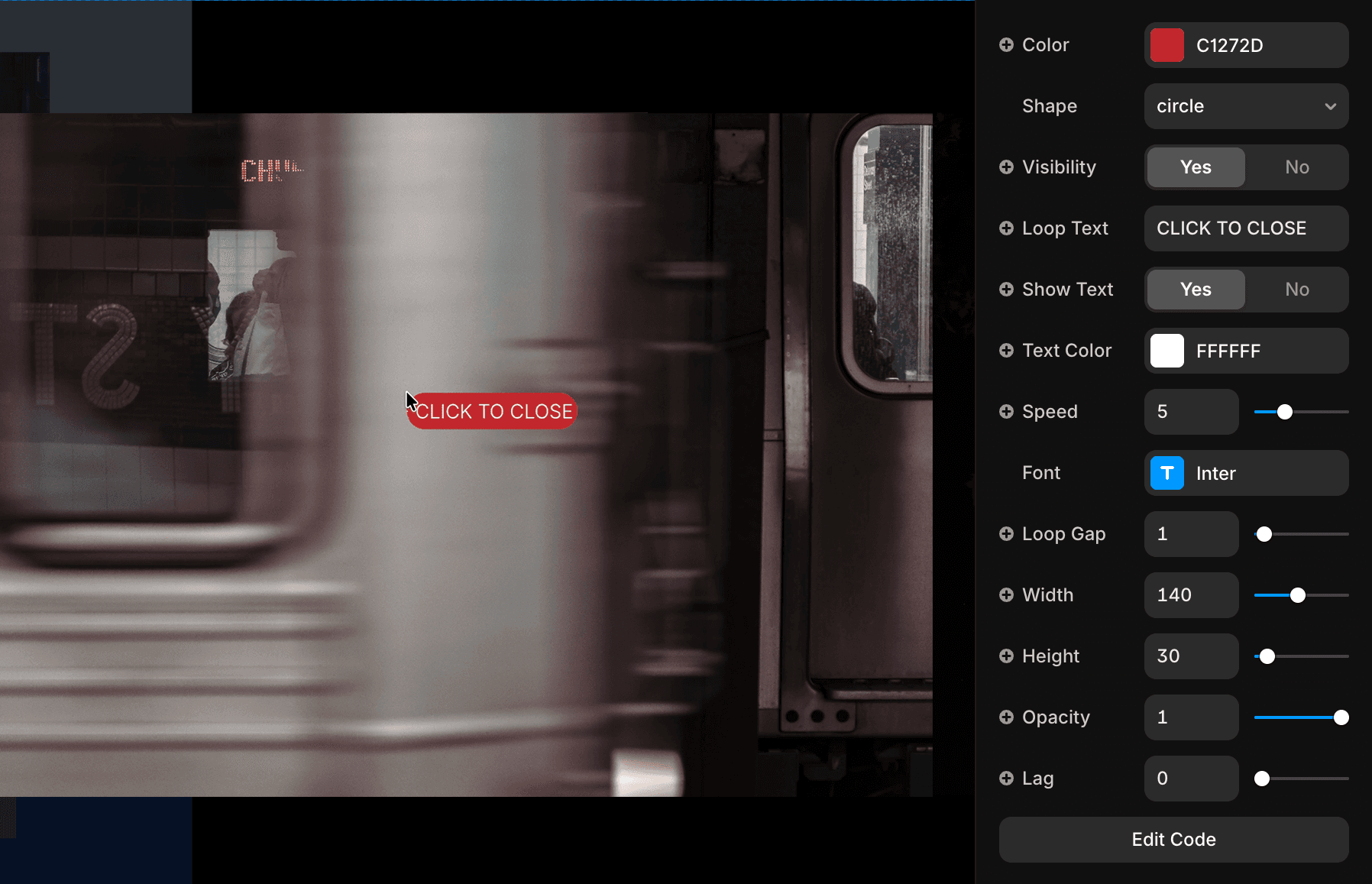
The cursor is configurable per section via data attributes, allowing different behaviors without duplicating components.
Auto-Scrolling Ticker with Direct Manipulation
What it does: Creates a continuously moving horizontal ticker that establishes ambient motion, while allowing users to interrupt autoplay and directly manipulate content through drag interaction.
Why it exists: Balances passive motion with user agency—maintaining visual rhythm without restricting control. The interaction ensures motion never competes with intent, yielding immediately when the user engages.
How it’s built: Developed as a configurable motion component using Framer Workshop and iterative prototyping. Properties expose direction, speed, spacing, and interaction behavior—enabling flexible reuse across layouts, with multiple instances running independently.
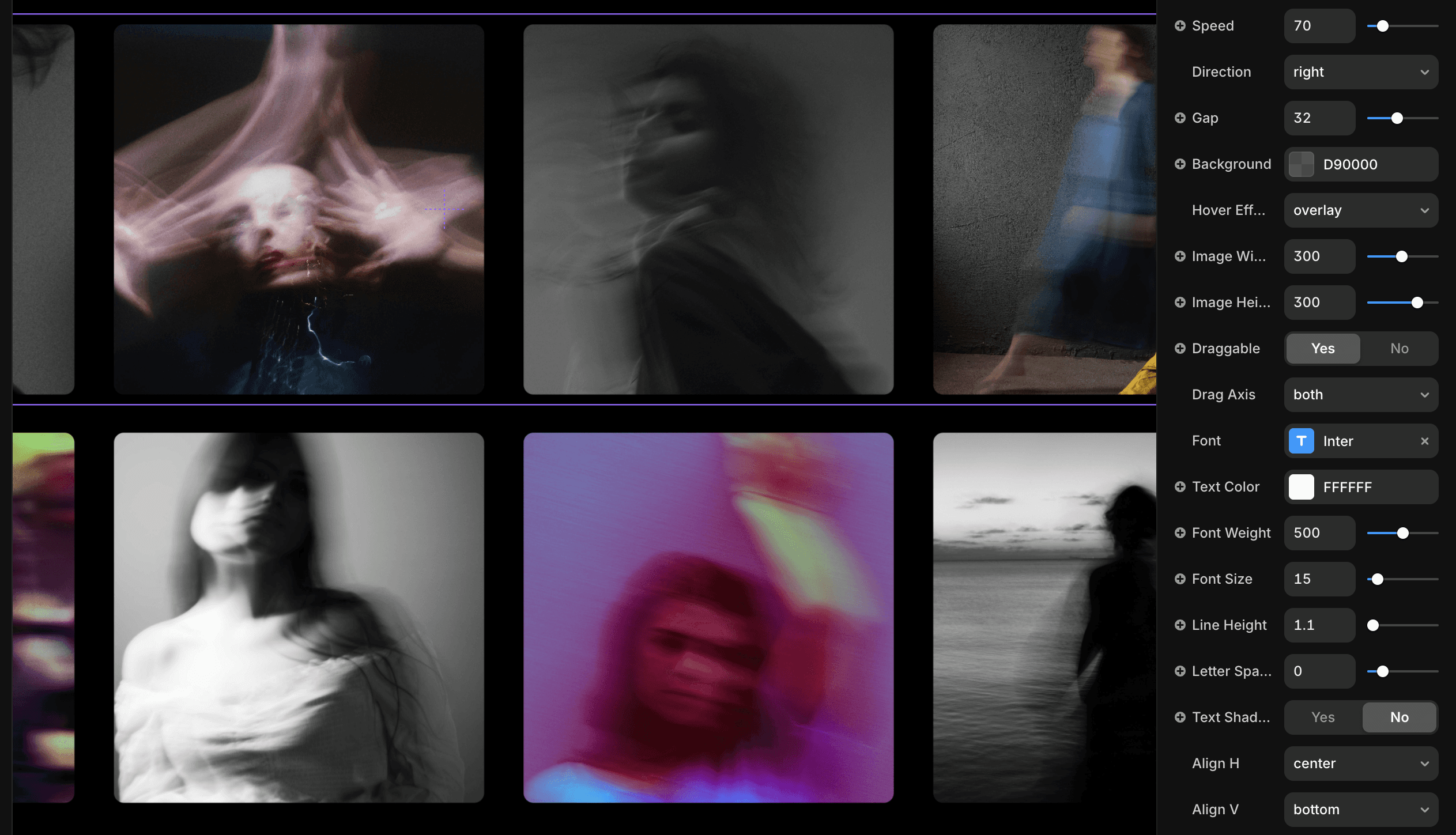
Configurable properties controlling direction, speed, spacing, drag behavior, and hover effects for independent ticker instances
Auto-scrolling motion with direct user drag interrupting and resuming the animation.


Context-Aware Cursor Feedback
Cursor-based interaction cues for drag, hover, and overlay states.
What it does: Provides contextual cursor feedback for drag, hover, and overlay states—without adding always-visible instructional UI elements.
Why it exists: Improves affordance discovery in motion-heavy and minimal interfaces where traditional UI cues are intentionally reduced.
How it’s built: A custom React component developed through AI-assisted code generation and iterative refinement, then integrated into Framer as a code component. Property controls expose the interaction logic as a reusable, configurable system refined through prototyping.
Demonstration: One cursor component, configured across multiple interaction contexts
The cursor is configurable per section via data attributes, allowing different behaviors without duplicating components.
Auto-Scrolling Ticker with Direct Manipulation
What it does: Creates a continuously moving horizontal ticker that establishes ambient motion, while allowing users to interrupt autoplay and directly manipulate content through drag interaction.
Why it exists: Balances passive motion with user agency—maintaining visual rhythm without restricting control. The interaction ensures motion never competes with intent, yielding immediately when the user engages.
How it’s built: Developed as a configurable motion component using Framer Workshop and iterative prototyping. Properties expose direction, speed, spacing, and interaction behavior—enabling flexible reuse across layouts, with multiple instances running independently.
Configurable properties controlling direction, speed, spacing, drag behavior, and hover effects for independent ticker instances
Auto-scrolling motion with direct user drag interrupting and resuming the animation.
2025
Neon Void